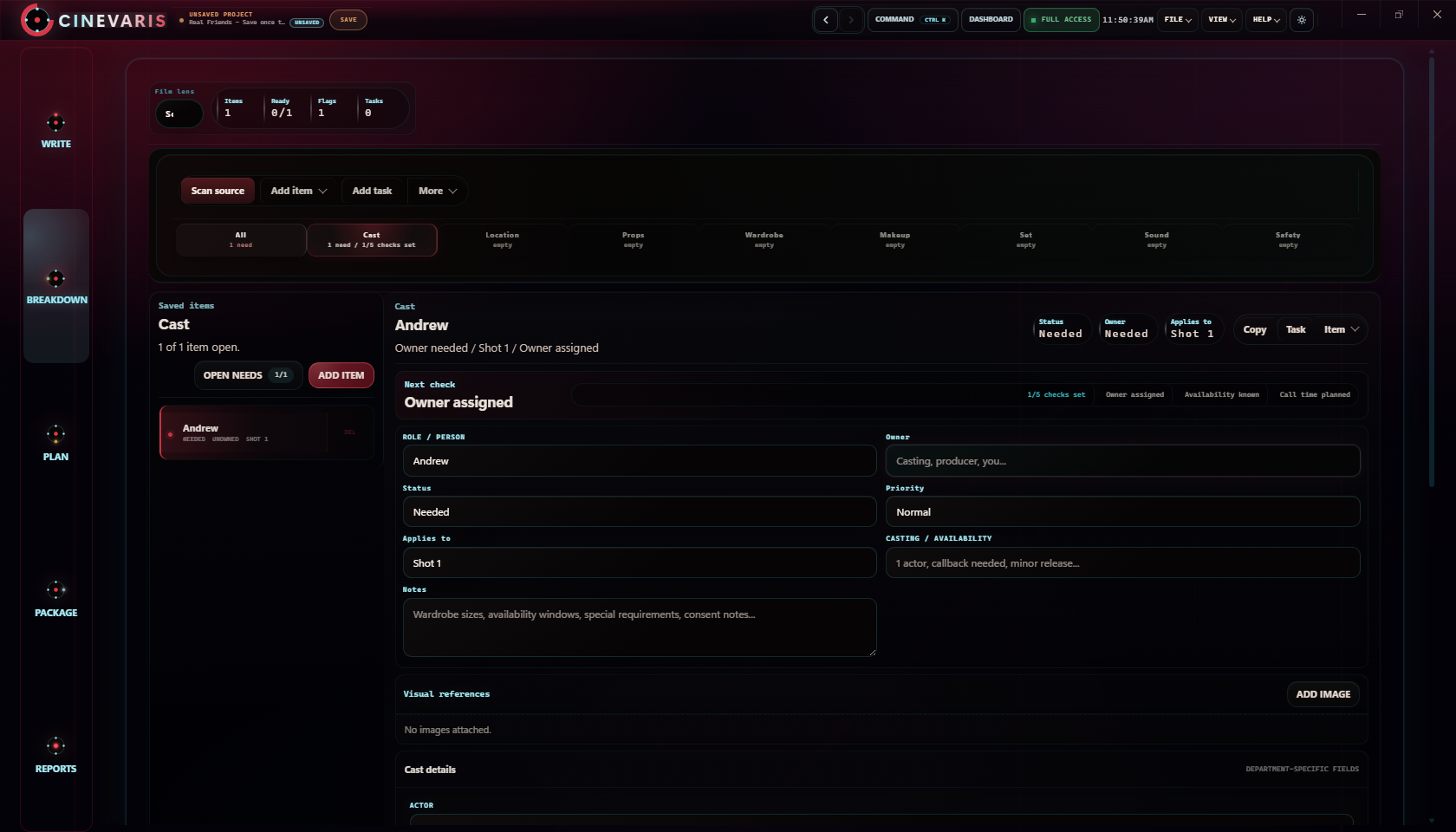
Scene breakdown
One sheet per scene. Separate what the script requires from decisions still to make.
- Project
- Scene / pages
- Script revision
| Item | In the script | Still to decide |
|---|---|---|
| Story day | ||
| Cast / background | ||
| Location | ||
| Props / set dressing | ||
| Wardrobe / makeup | ||
| Sound / effects | ||
| Safety / permissions | ||
| Continuity | ||
| Next action | ||
| Person responsible | ||
| Deadline |
How to fill it in
Put characters, locations and objects mentioned in the scene under In the script. Use Still to decide for casting, access and other arrangements.
A story location does not confirm a filming location. For example: "Room access ends at 5 pm. Ask about an extra hour." This is an illustrative note, not a Real Friends booking.
Duplicate the sheet for another scene and keep its script revision with it.
Copy gives you tab-separated rows to paste into a document or spreadsheet. The workbook includes project details and notes; CSV contains the table only. This preview is for copying or printing; it does not save entries. Blank table previews show four rows; print or download for the full sheet.
Break down one scene
Using this worksheet on a shoot
Open the Excel workbook or import it into Google Sheets with File, Import, Upload. Duplicate the sheet for each scene and fill in the requirements and questions columns. Record what appears in the script; leave anything undecided blank.
How to use the Excel or Google Sheets worksheet
Keep one sheet per scene. Enter the scene number and heading first, then list script requirements in the middle column and production questions in the last column. Rename each sheet with its scene number so you can find it again after the schedule changes.
The Excel workbook keeps its worksheet formatting. The CSV contains field labels and empty notes, without spreadsheet formatting. Both are standalone worksheets you can use without an account; neither is a Cinevaris project import.
What belongs in a script breakdown?
Record what the screenplay calls for before adding production choices. A character is a story requirement; the performer and their availability are separate decisions. A room in the story is not yet a booked filming location. Keep those distinctions visible instead of treating an assumption as a confirmed arrangement.
Read the scene once for the story before listing requirements. On the second pass, record each literal need and keep questions beside it. Use the example below to compare those two kinds of notes.
Real Friends: from scene to breakdown
The public Real Friends example opens with Andrew at his laptop in a dark room. Use scene 1, INT. ANDREW'S ROOM - NIGHT, to see the difference between a script fact and a planning question. These notes illustrate the worksheet; they are not a confirmed production plan.
Record the scene facts
People: Andrew. Place: Andrew's room, interior, night. Objects: laptop, mouse and keyboard. Leave the page count and story day blank until checked against the draft you are using.
Keep preparation questions separate
Possible follow-up notes: check screen flicker with the chosen camera settings, decide how to record keyboard and mouse sound, and confirm access to a filming room. These are illustrative preparation questions, not additional facts from the screenplay.
Download the filled Real Friends breakdown example (CSV). The main template downloads remain blank for your film.
Turn the breakdown into the next decision
Use the three-shot example to plan coverage of the same moment. Then check the location and cast constraints before arranging scenes into shoot days. A breakdown lists needs; a shot list describes images; a schedule puts confirmed work into an order.
Keep the breakdown current
Record the script revision beside your notes. When a scene changes, compare the old and new versions, update the affected requirements, and tell the people using the previous sheet. Keep unresolved questions visible instead of silently filling them with guesses.
Before sharing, check that each scene has a recognizable number, literal requirements are separate from choices, and follow-up work has someone responsible for it. Use the production checklist to review what still needs confirmation before the shoot.
Keep scene details with the screenplay.
Open Breakdown, choose a scene, and add its cast, location, props, wardrobe, and notes.